软件信息
大小55KB
语言中文
平台win7, WinAll
更新2015-07-21 16:42
等级--
类型图像浏览
授权免费软件
厂商--
产地国产软件
网站--
软件介绍
Windows系统浏览图片时通常会把缩略图缓存留存在本地,若想尽快清理,不妨用一下本站的ThumbCacheViewer。这款Windows缩略图缓存查看工具相当实用,借助它可以迅速浏览并删掉不需要的缓存图片。
ThumbCacheViewer功能亮点
在windows xp下,缩略图缓存被存放在与图片同一目录的thumbs.db文件里,并且该文件处于隐藏状态。
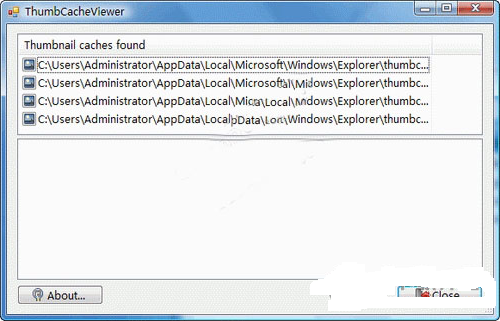
windows,vista中,缩略图缓存是在c:\users[username]\appdata\local\microsoft\windows\explorer\thumbcache*.db文件中,利用thumbcacheviewer就可以很方便查看。
下一篇:32色全国高铁图 最新高清原图版